A warm Welcome from your host:

Thank you for choosing Tudors eSuites!

We’d like to welcome you to your accommodation.
We’ve created this guide for you which contains essential information that you will be using during your stay.
Kindly note that our apartments are not suitable for parties, but we’ve gathered the best places in town for you to go out and have fun with your friends!
Check-in Guide

Protected: 125L

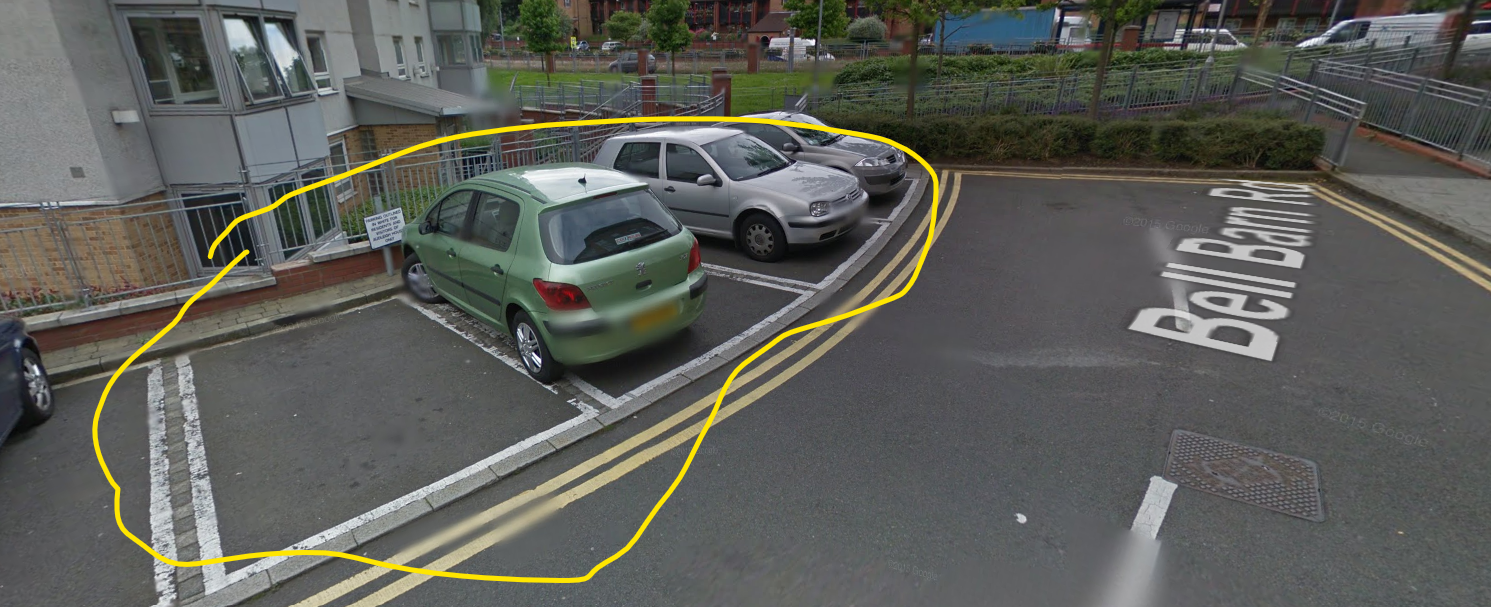
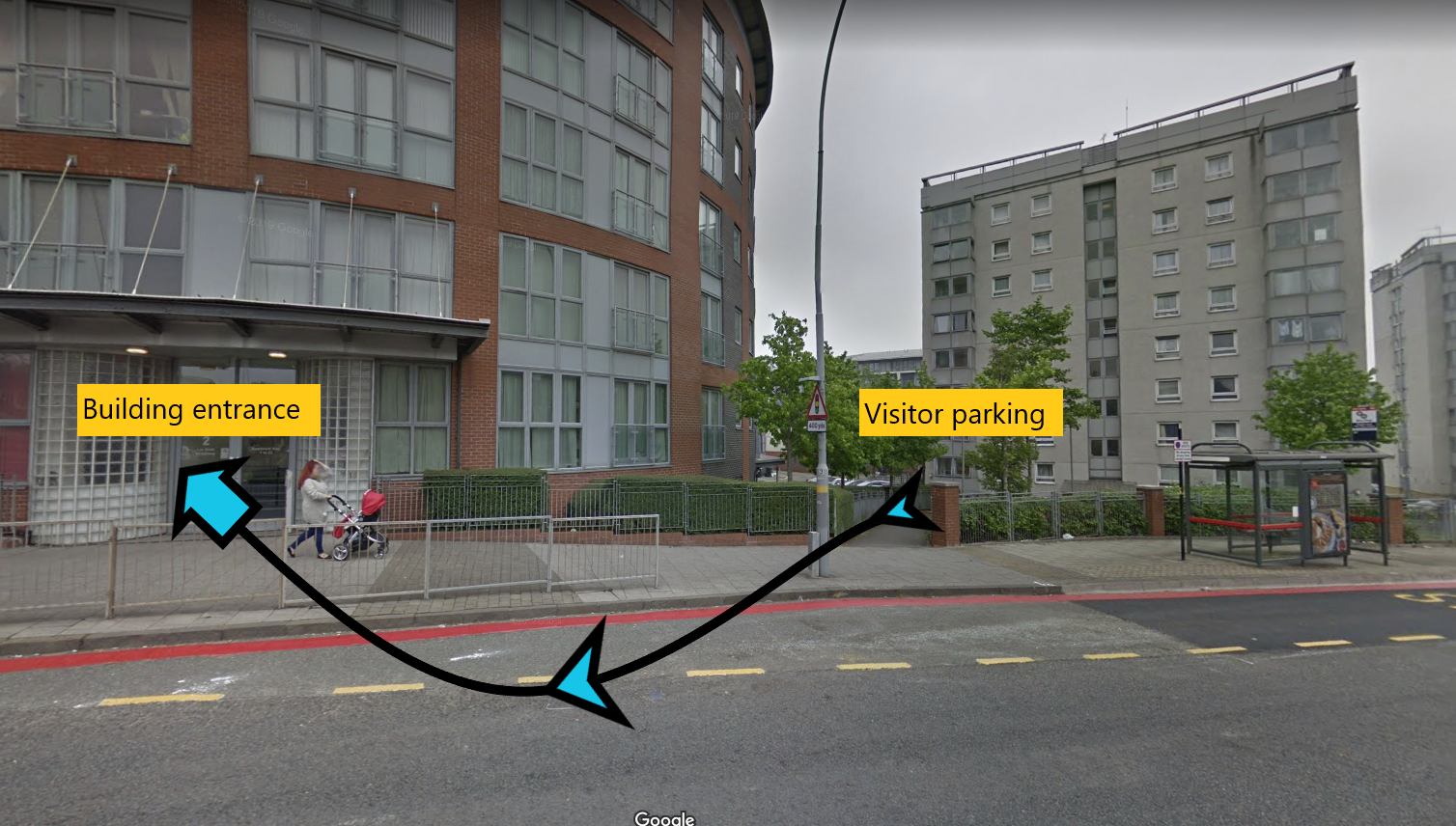
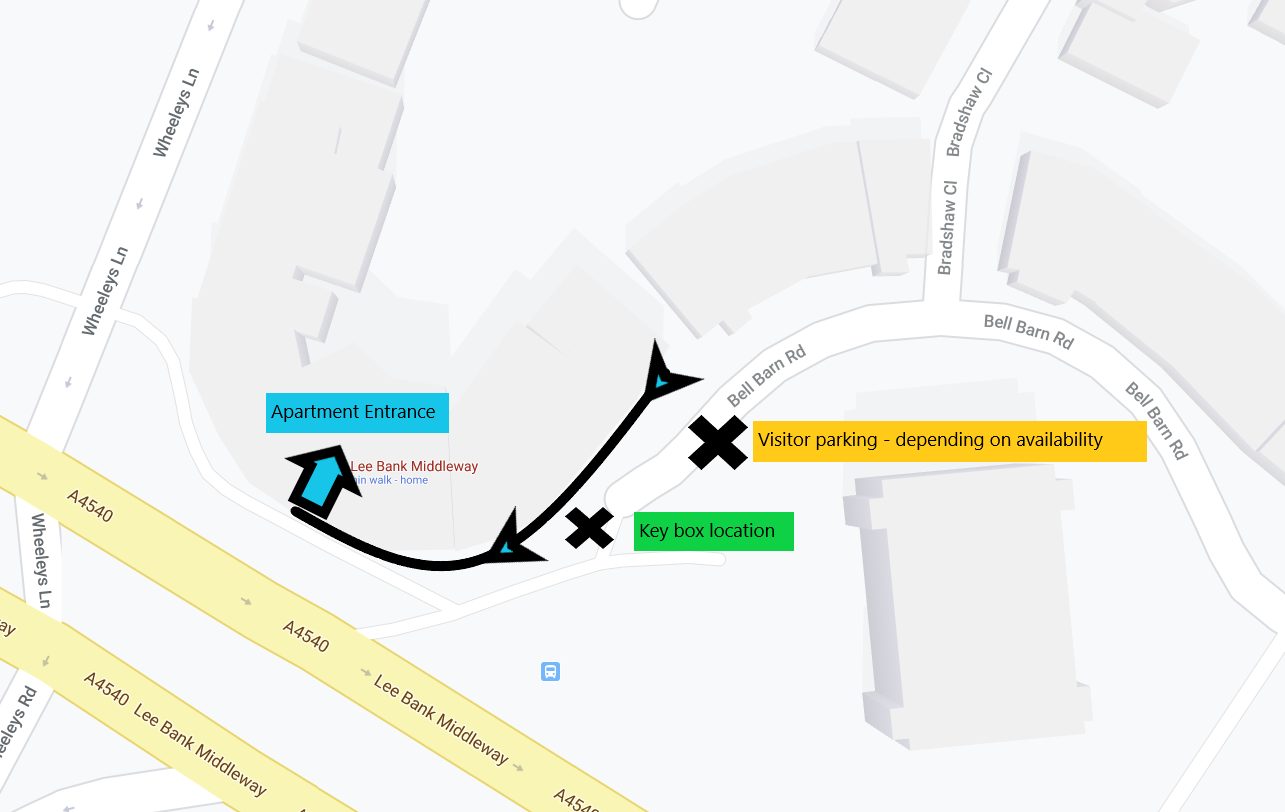
1. Please go at the end of Bellbarn Road, B15 2DN. Map below shows key box location in blue and yellow arrow to building entrance

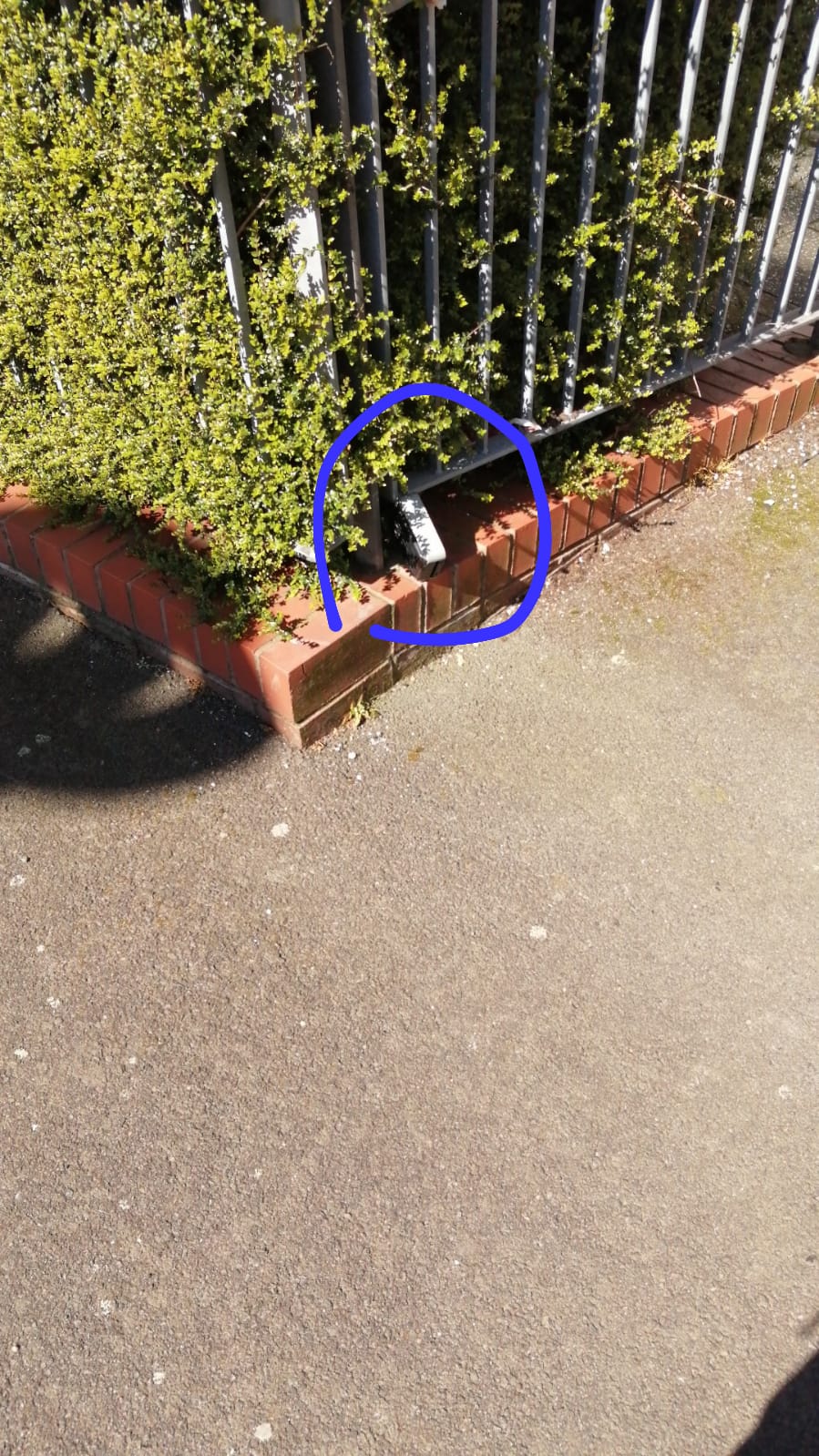
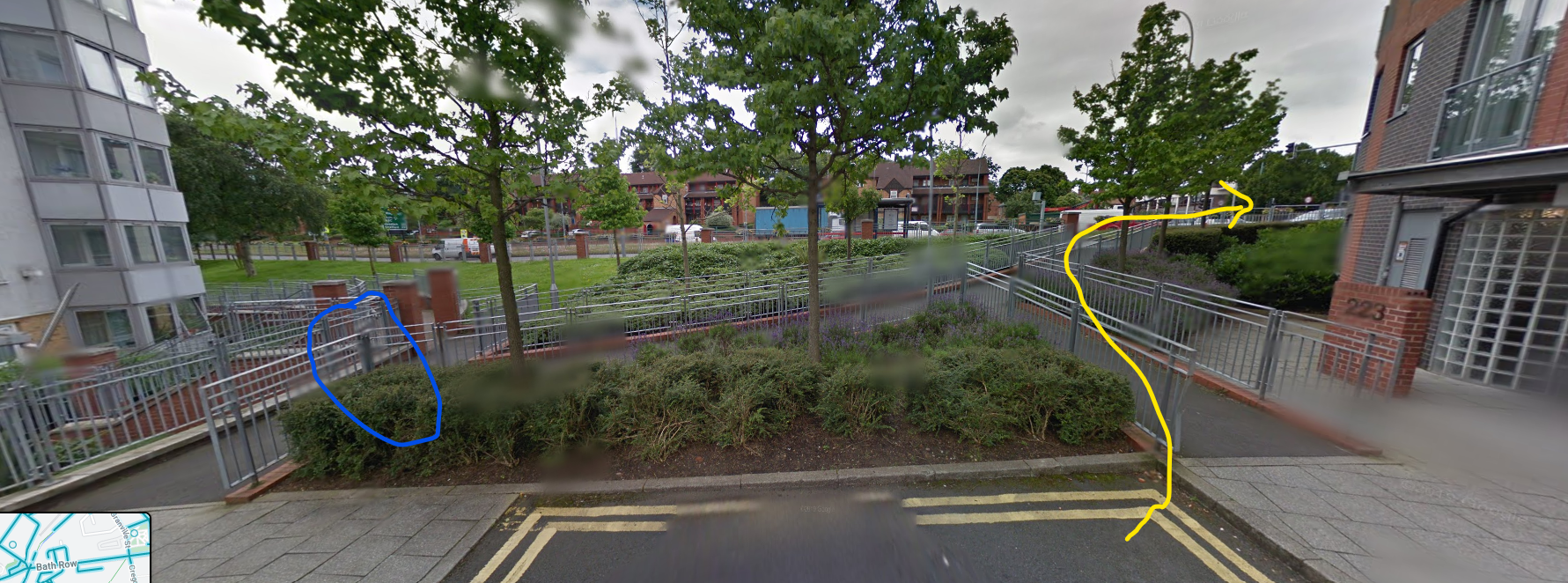
2. Park your car in the Visitors Parking only (we do not provide parking for this apartment). Have a look at the picture below to identify the key box, which will be located on the rail leading to Lee Bank Middleway (the main road).

3. Take your main building fob from the padlock circled, please use the code given to you with this link to open the padlock.

5. After collecting your key, please proceed to make your way around to the front door which as you can see in the picture, is on the main road.

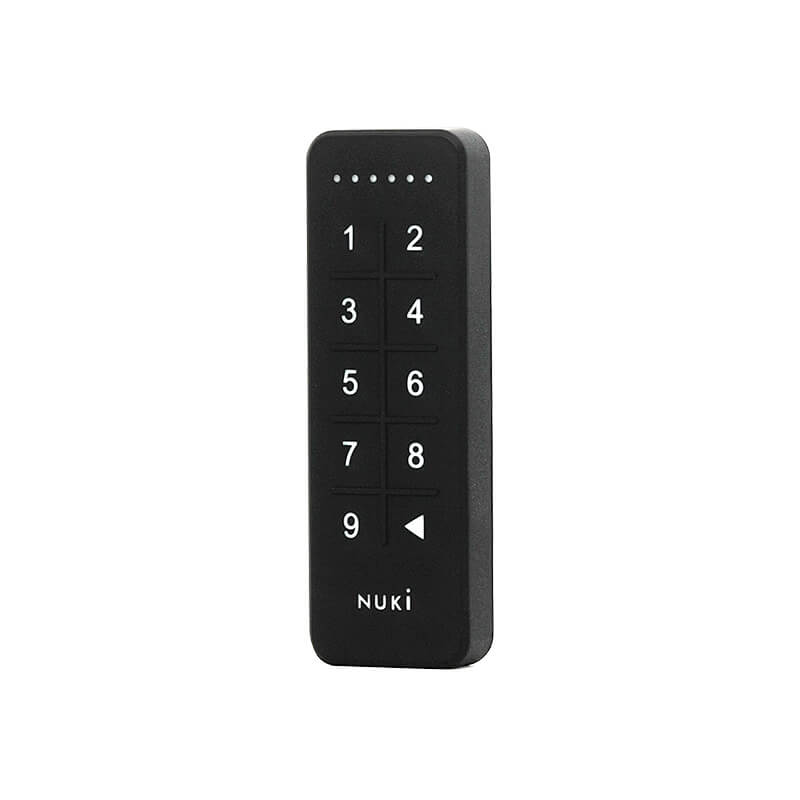
The apartment is number 2. There is a black keypad on the apartment door, the code for your apartment door is on the check-in instructions.

To lock the door from the outside you will press the backspace button on the keypad on the door

To lock the door from the inside will be as normal with the thumb turn, just rotate the round bit of the smart lock.

The communal bin is located in the car park behind the block

If there is anything we can do to help please contact us on 0121 318 1811 or wecare@tudors.group

We hope you enjoy your stay!

Wi-fi

Network Name

The router is inside the property

Network Password

The router is inside the property

Report an issue

To report a problem,
please use our system tool on this link.