A warm Welcome from your host:

Thank you for choosing Tudors eSuites!

We’d like to welcome you to your accommodation.
We’ve created this guide for you which contains essential information that you will be using during your stay.
Kindly note that our apartments are not suitable for parties, but we’ve gathered the best places in town for you to go out and have fun with your friends!
Check-in Guide

Protected: 1215M

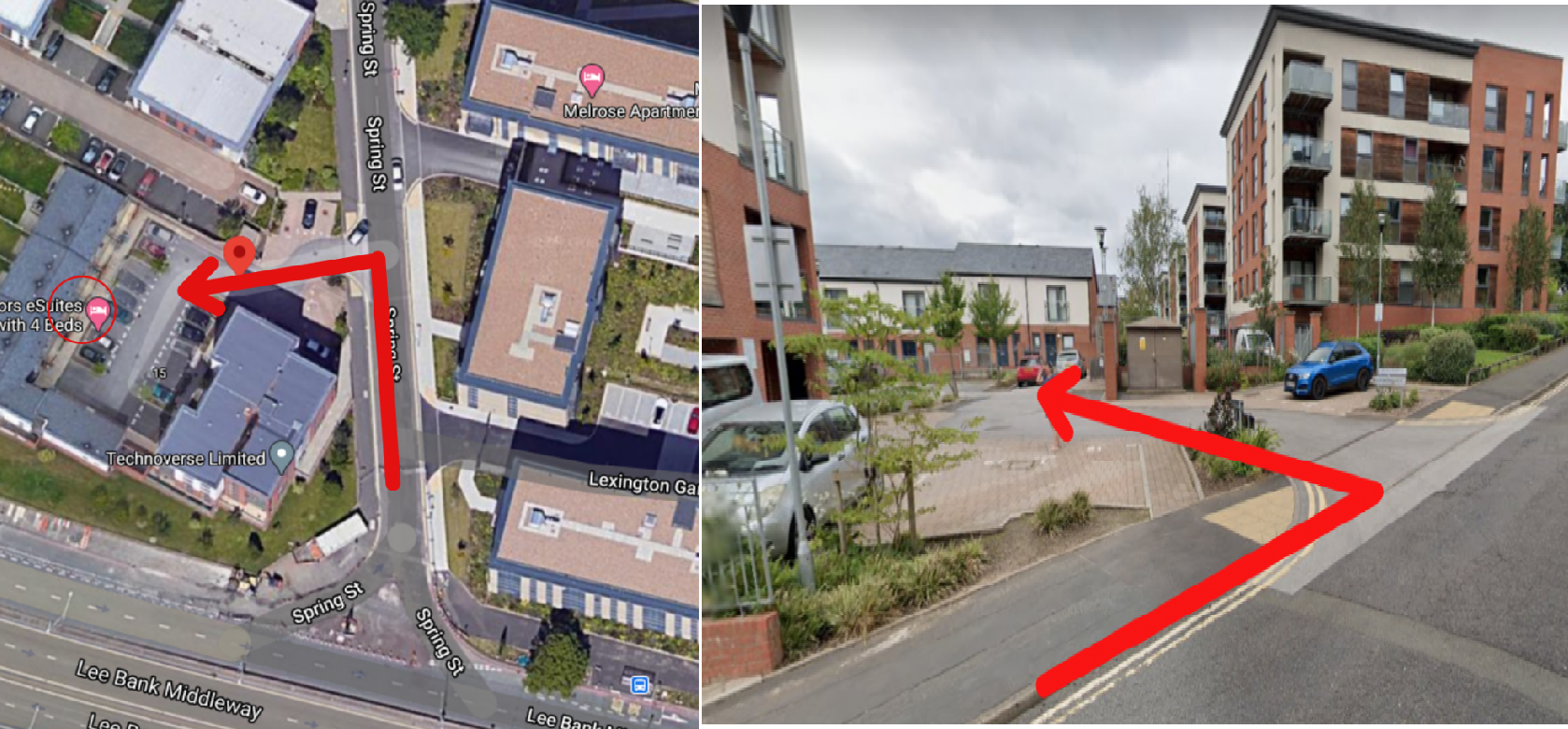
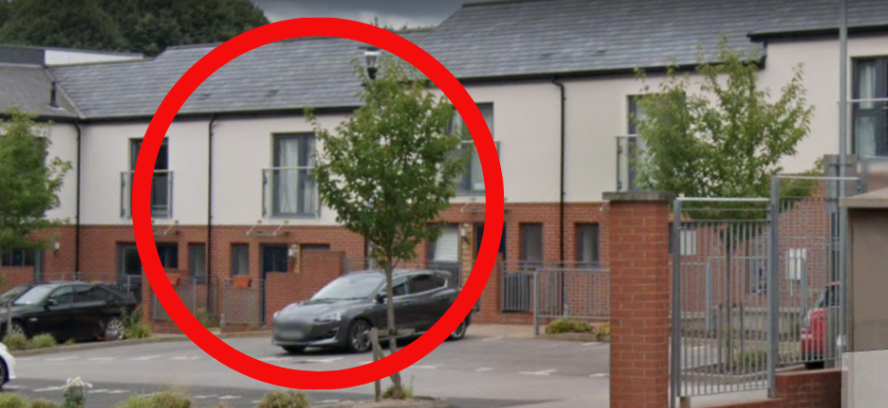
1. Please go to Spring Street in Birmingham - Madison Walk, B15 2GQ. Your building fob is located in a key safe on the wall of a property.

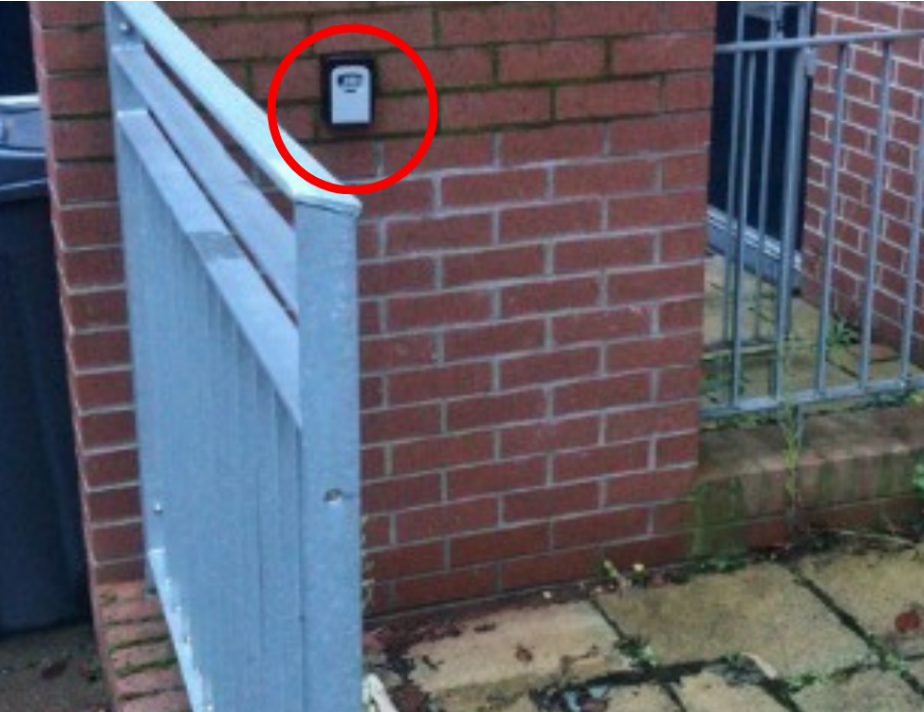
2. Building fob is located on a wall outside the house circled - 9 Madison Walk (NOT YOUR PROPERTY).

3. Please find the padlock on the left hand side wall outside 9 Madison . Please open the padlock using the code provided in the check in instructions.

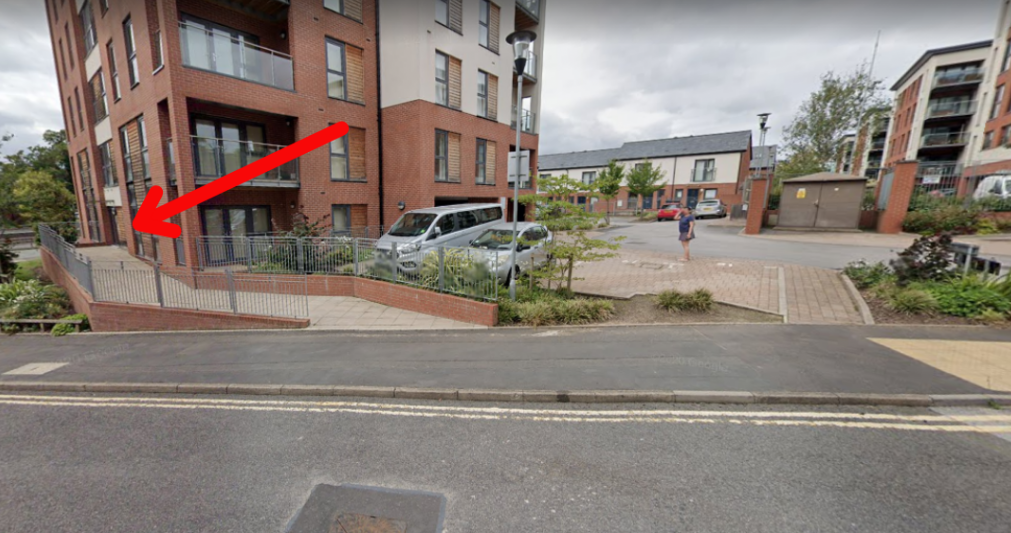
4. The red arrow points towards the entrance to the building, please use the fob from the padlock to open it.

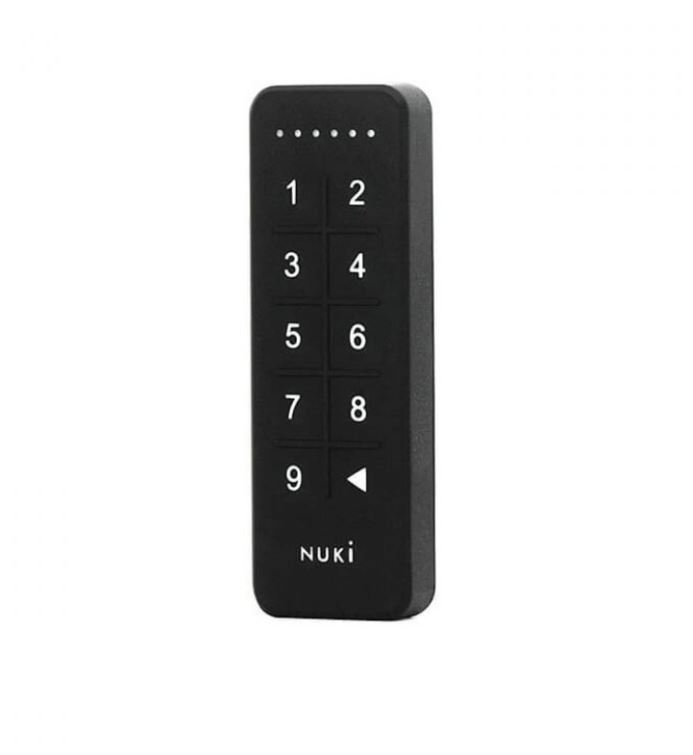
5. The apartment number is 21. There is a black keypad on apartment door, please type the code to open the door (The code is in the check-in instructions)

To lock the door from the outside you will press the backspace button on the keypad on the door

To lock the door from the inside will be as normal with the thumb turn, just rotate the round bit of the smart lock.

Parking bay number 21 is available at £15 per night, please contact us should you need to arrange this. Permit must be displayed at all times to avoid any fines.

If there is anything we can do to help please contact us on 0121 318 1811 or wecare@tudors.group

We hope you enjoy your stay!

Wi-fi

Network Name

The router is inside the property

Network Password

7rL8646VW56625n

Report an issue

To report a problem,
please use our system tool on this link.